Human Resources Launches LinkedIn Learning For Faculty and Staff
In the past year, the engagement team in Human Resources reviewed various online platforms to increase easy access to on-demand learning content. As a result, HR selected LinkedIn Learning, a best-in-class resource for professional and personal development that is now available to full-time faculty, staff and adjunct faculty.
“TCU’s subscription to LinkedIn Learning allows employees to explore learning opportunities from a broad spectrum of topics and career fields,” Yohna Chambers, vice chancellor and chief human resources officer, said. “Employees can set learning goals and track their progress toward those goals. One of my favorite features is “Trending now for people in your role.” This lets me know what topics other human resources professionals are interested in and learning more about.”
Why use LinkedIn Learning?
LinkedIn Learning allows users to learn at their own pace. It can be a route to personal
success through its content, which is specific to unique interests and diverse career
paths. You may select courses relevant to your current role in areas like Time Management and Strategic Thinking, or pursue other passions.
“As a pilot tester for the platform, I loved the flexibility of LinkedIn Learning because I could easily work at my own pace,” Amanda Duvall, career consultant, said. “There is a diverse range of course offerings from mindfulness and resiliency to Excel training. Even though the trainings were pre-recorded and virtual, I still felt like I was actively participating, as there were often exercises and reflection periods where you could put the training to practice.”
With LinkedIn Learning, users control their individual learning style. Choose from TCU’s curated learning paths or create your own groups of courses or videos related to specific topics. Start with How to Use LinkedIn Learning to grasp how to utilize features such as recommendations, search tools and learning paths that will help users customize their unique learning experience.
LinkedIn Learning is a natural fit with TCU’s VIA goal to Strengthen the Workforce for individual contributors and teams. Learning may be kept private or shared with others on a team. For example, managers and employees may work together to create professional development plans, collaborate to refine their professional skills, discuss milestones and plan for career growth.
“Through the opportunity to pilot test the program, I enjoyed taking courses in a number of areas that interested me both professionally and personally,” Jason Byrne, senior director, corporate and foundation relations, said. “The experience enabled me to learn new tools and gain valuable new insights.”
Do I Need to Have a LinkedIn Profile?
No. Any courses you complete are kept in the LinkedIn Learning account. Every course or video completed is private, unless the user decides to share it with others or post it to a personal LinkedIn profile. For those who have a LinkedIn profile, there is an option to connect LinkedIn Learning content for easy tracking across devices.
More FAQs can be found on the HR website.
Getting Started
Courses are accessible to all interested learners in various languages, including English, Spanish, French, German, Portuguese, Japanese and Mandarin. From my.tcu.edu, select My Employee Center and click on LinkedIn Learning. Choose whether you wish to connect it to your LinkedIn profile, and then click the Language icon from the dropdown that appears and select the language in which you wish to view content. Gain Access to your account in 3 Simple Steps:
- Click the tile in tcu.edu
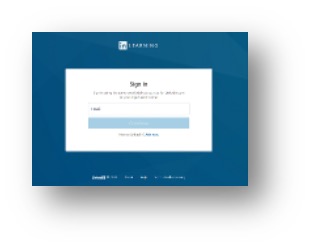
- Sign in to LinkedIn Learning
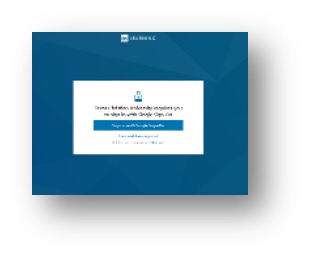
- First time users require SSO
Help is available!
Contact TCU:
If you run into issues logging in, visit our FAQs or email us at HRTraining@tcu.edu.
Contact LinkedIn Learning:
For technical problems, you’ll have the option to click for help throughout the system, with access to LinkedIn Learning FAQs. LinkedIn Learning also has options to connect via email, live chat or phone .
Important Information:
Faculty cannot assign courses to undergraduate or graduate students. Students do not
have access to LinkedIn Learning.